
designed to provide you with a unique experience.
With its intuitive interface and unrivaled performance,
you'll never look back.

Learn how to cite RadiAnt in academic publications. We offer significant discounts for authors.

Also new in this version is synchronized axis intersection across the 2D viewer, 3D MPR, and 3D VR views—making it easier to stay oriented when switching between perspectives.
Additionally, display issues with certain non-standard DICOM files have been resolved, improving overall compatibility. Download the latest version here.

In previous versions, an attacker with privileged network access could manipulate the content displayed in the update notification window if the user dismissed an alert about an incorrect certificate name. This posed a potential risk of downloading a malicious file instead of a legitimate software package.
To ensure security, we strongly recommend updating to the latest version or implementing the mitigations outlined in our security advisory document.

Supports multiple DICOM file types
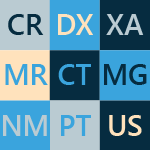
The software has the capability to open and display studies obtained from different imaging modalities:
- Digital Radiography (CR, DX)
- Mammography (MG)
- Computed Tomography (CT)
- Magnetic Resonance (MR)
- Positron Emission Tomography PET-CT (PT)
- Ultrasonography (US)
- Digital Angiography (XA)
- Gamma Camera, Nuclear Medicine (NM)
- Secondary Pictures and Scanned Images (SC)
- Structured Reports (SR)
Many types of DICOM images are supported:
- Monochromatic (e.g. CR, CT, MR) and color (e.g. US, 3D reconstructions)
- Static images (e.g. CR, MG, CT) and dynamic sequences (e.g. XA, US)
- Uncompressed and compressed (RLE, JPEG Lossy, JPEG Lossless, JPEG 2000)
All the necessary tools close at hand
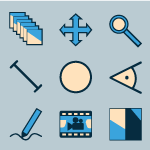
RadiAnt DICOM Viewer provides the following basic tools for the manipulation and measurement of images:
- Fluid zooming and panning
- Brightness and contrast adjustments, negative mode
- Preset window settings for Computed Tomography (lung, bone, etc.)
- Ability to rotate (90, 180 degrees) or flip (horizontal and vertical) images
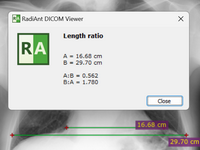
- Segment length
- Mean, minimum and maximum parameter values (e.g. density in Hounsfield Units in Computed Tomography) within circle/ellipse and its area
- Angle value (normal and Cobb angle)
- Pen tool for freehand drawing
Quick as lightning
RadiAnt DICOM Viewer was designed to use resources as efficiently as possible. It can make use of a multiprocessor and multicore system with large amounts of gigabytes of RAM, but will also run on an old single-core machine with only 1GB RAM.
A 64-bit version is provided for modern systems to keep all opened images in more than 4GB of memory, if necessary. Asynchronous reading lets you browse and process images while they are still being opened.
All of this is available in one very compact application that has an installer size of just over 7MB.
Compare different series or studies
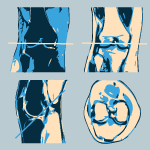
Multiple series of one study or several studies can be concurrently opened in the same or different windows for comparison purposes.
Series consisting of images that have been acquired in the same plane (e.g. Computed Tomography series before and after administration of the contrast medium) are automatically synchronized by default.
Cross-reference lines are displayed for better correlation of the anatomy when browsing series with different image planes (e.g. Magnetic Resonance study).
Search and download studies from PACS locations
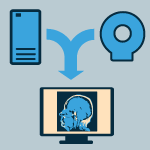
The PACS (Picture Archiving and Communication System) client feature lets RadiAnt DICOM Viewer query and retrieve studies from other PACS hosts.
Supported service class users/providers are: C-ECHO SCU, C-ECHO SCP, C-FIND SCU, C-MOVE-SCU, C-STORE-SCP.
Received DICOM files can be stored in a temporary folder and deleted when RadiAnt closes, or they can be saved in the local database.
Local archive
The local archive feature allows you to import DICOM studies from CD/DVD discs, USB flash drives, local and network folders or PACS servers, and store them on your local hard drive so that they can be easily accessed at a later date.
The local archive can be helpful in situations in which the original media is no longer available, or you would like to open the study without the need to repeatedly retrieve it from a PACS server.
You can also access the database to organize and quickly find studies in your collection of DICOM files that are stored on the hard drive.
Export DICOM files to images and movies
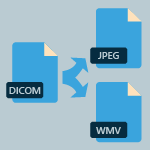
Create visually stunning presentations and professional publications - RadiAnt DICOM Viewer can export DICOM files to JPEG (compressed) or BMP (uncompressed bitmap) images and WMV (Windows Media Video) movies.
One image, an entire series or all opened images can be exported simultaneously.
Displayed images can be quickly copied to the Windows clipboard using the CTRL+C shortcut and can be quickly and easily pasted into Word or PowerPoint documents.
Multiplanar reconstructions
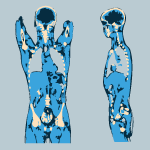
The MPR tool provided within RadiAnt DICOM Viewer can be used to reconstruct images in orthogonal planes (coronal, sagittal, axial or oblique, depending on what the base image plane is). This can help to create a new perception of the anatomy that was not possible to visualize using the base images alone.
The reconstruction process is extremely fast: a coronal series can be created from more than 2000 axial CT slices in approximately three seconds (on a modern Intel Core i7 system).
3D volume rendering
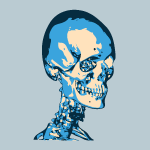
The 3D VR (volume rendering) tool lets you visualize large volumes of data generated by modern CT/MR scanners in three dimensional space.
The different aspects of the data set can be interactively explored in the 3D VR window.
This tool lets you rotate the volume, change zoom level and position, adjust color and opacity, measure length and show hidden structures by cutting off the unwanted parts of the volume with the scalpel tool.
The image is rendered progressively to maintain fluid operations even on slower machines.
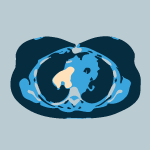
PET-CT image fusion
Overlay a color-mapped PET image onto a CT scan to obtain anatomical references for regions with increased FDG (fluorodeoxyglucose) uptake values.
Use the ellipse tool to measure maximum, minimum and average values of SUVbw (Standardized Uptake Value calculated using body weight) in a specified area.
Image fusion can also be applied to other imaging modalities, such as Magnetic Resonance, e.g. DWI images can be fused with T1 or T2-weighted scans.

Digital Subtraction Angiography
The Digital Subtraction Angiography (DSA) technique can be applied to a fluoroscopy series (XA) to allow you to visualize blood vessels better.
The pre-contrast image (so-called mask) is subtracted from the subsequent images in which the arteries/veins are filled with the contrast media and, thus, the bony or dense soft-tissue areas are removed from the final image.
The auto pixel-shift feature lets you automatically correct the alignment of the mask and the live image simply by selecting the area of interest.
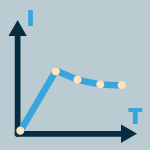
Time-intensity curves
RadiAnt DICOM Viewer lets you visualize the lesions' enhancement behavior (e.g. in Breast MRI) by plotting time-intensity curves (TICs).
Different types of curves can be obtained: Ia - straight (the signal intensity continues to increase over the entire dynamic period) / Ib - curved (the time-signal intensity curve is flattened in the late postcontrast period), II - plateau (the signal intensity plateaus in the intermediate and late postcontrast periods) or III - washout (the signal intensity decreases (washes out) in the intermediate postcontrast period).
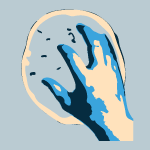
Multi-touch support
If you have a Windows 8 or Windows 10 touch-enabled device, you might find that gestures (motions that you make with one, two or more fingers) are easier to use than a mouse or keyboard. RadiAnt DICOM Viewer enables users to make use of the array of multi-touch gestures:
- Touch the image with one finger and move it to browse through images of the displayed series.
- To zoom in or out, touch two points on the image, and then move your fingers away from or toward each other. Drag the image with two fingers to move it and show invisible parts of zoomed image.
- You can change the window settings (brightness/contrast) by touching the image with three fingers and moving them up/down (brightness) or left/right (contrast).

Multilingual interface
Thanks to our community, RadiAnt DICOM Viewer interface has been translated into over 20 languages so far:
- Arabic, Brazilian Portuguese, Bulgarian, Chinese, Czech, Danish, Dutch/Flemish, French, German, Greek, Hungarian, Indonesian, Italian, Polish, Portuguese, Russian, Serbian, Slovak, Spanish, Swedish, Turkish.
Our online tool makes it easy to edit the current translations and create new ones.
DICOM CD/DVD/USB Viewer
Do you know how frustrating it can be to endlessly wait for a CD with the DICOM study to open?
Does your viewer require the installation of additional components before the images can actually be viewed?
Try the RadiAnt DICOM Viewer CD/DVD autorun package! It is extremely fast, runs from CD/DVD media without installation on Windows 7, Windows 8, Windows 8.1, Windows 10 and Windows 11 systems and does not have any additional software or programming requirements (e.g. .NET, Java).
If the user’s operating system permits, the 64-bit version is opened for better efficiency. On older machines the 32-bit version is used. Approximately just 6MB of overhead data is added to the media.
The logo image displayed after opening the application is fully customizable and can be used to show your company information to your clients.